
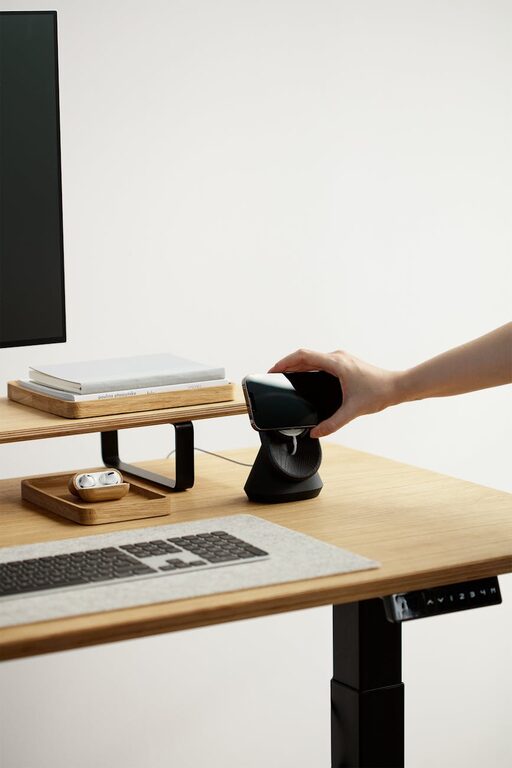
Creating an ideal desk setup is essential for maintaining focus and comfort throughout your workday. Whether you work from home or at an office, a well-organized and ergonomic workspace can help reduce distractions, prevent discomfort, and improve your overall productivity. In this post, we’ll explore practical tips for crafting a desk environment that supports both your focus and physical well-being.
Why Your Desk Setup Matters
A cluttered or poorly arranged desk not only hampers focus but can also lead to physical strain. Simple adjustments in your workspace can enhance concentration and reduce the risk of aches and pains caused by improper posture. By optimizing your desk setup, you’re investing in your comfort and work efficiency.
Choosing the Right Desk and Chair
Desk Considerations
Start with selecting a desk that fits your space and work needs. Consider these factors:
– Size: Ensure your desk has enough surface area for your computer, documents, and other essentials without feeling cramped.
– Height: A standard desk height is about 29-30 inches, but adjustable desks are great for customizing the workspace or switching between sitting and standing.
– Storage: Built-in drawers or shelves can help keep your desk tidy and organized.
Chair Comfort
Your chair plays a crucial role in your posture and comfort:
– Ergonomic Design: Look for chairs that support the natural curve of your spine with adjustable lumbar support.
– Adjustability: Seat height, armrests, and tilt features allow you to tailor the chair to your body.
– Padding and Breathability: Choose cushioning that provides comfort for long hours and breathable fabric to prevent overheating.
Monitor and Screen Placement
Improper monitor placement can cause eye strain and neck pain. Keep these guidelines in mind:
– Position your monitor about an arm’s length away.
– The top of the screen should be at or slightly below eye level.
– Use a monitor stand if needed to achieve proper height.
– Reduce glare by positioning the screen perpendicular to windows or using an anti-glare screen protector.
Keyboard and Mouse Setup
Position your keyboard and mouse to minimize strain:
– Place the keyboard so your wrists remain straight and your elbows close to your body at an angle between 90 and 110 degrees.
– Use a keyboard tray if your desk height doesn’t allow for ergonomic positioning.
– Choose a mouse that fits comfortably in your hand; wrist rests can offer additional support.
– Keep frequently used items within easy reach to avoid overreaching.
Lighting for Comfort and Focus
Good lighting is essential for reducing eye strain and maintaining alertness:
– Use natural light whenever possible, but avoid direct glare on screens.
– Incorporate adjustable desk lamps with warm or neutral light to complement your ambient lighting.
– Consider the color temperature; cooler light (around 5000K) can increase alertness, while warmer light (around 2700K) is more relaxing for breaks.
Organizing Your Desk for Productivity
A clutter-free desk encourages a clear mind. Try these organization tips:
– Use trays or organizers for pens, paperclips, and other small items.
– Keep only essential items on your desk, store the rest in drawers or shelves.
– Implement a cable management system to prevent tangled cords.
– Have a dedicated spot for notes, planners, or digital devices.
Incorporating Personal Touches
Adding elements that inspire you can improve your mood and motivation:
– Include plants to bring a bit of nature and improve air quality.
– Display photos or artwork that make you happy but don’t distract.
– Use color accents in your desk accessories to energize your space.
Taking Breaks and Moving Around
No desk setup is complete without mindful breaks:
– Follow the 20-20-20 rule: every 20 minutes, look at something 20 feet away for 20 seconds to rest your eyes.
– Stand up and stretch or walk around regularly to reduce muscle stiffness.
– Consider a sit-stand desk converter to alternate your posture throughout the day.
Final Thoughts
Designing a desk setup that supports both focus and comfort doesn’t have to be complicated. By paying attention to ergonomics, organization, lighting, and personal comfort, you create a workspace that helps you stay productive and healthy. Start small, make adjustments as needed, and enjoy the benefits of a thoughtfully arranged desk.
—
Optimizing your desk setup is an ongoing process. Together, these simple tips can transform your workspace into a place where you can work efficiently and comfortably every day.
